
 CityCourier
CityCourier
WordPress Plugin
End‑to‑end for local courier businesses: per‑km pricing, delivery time windows, WhatsApp handoff and live courier tracking via WebSocket.
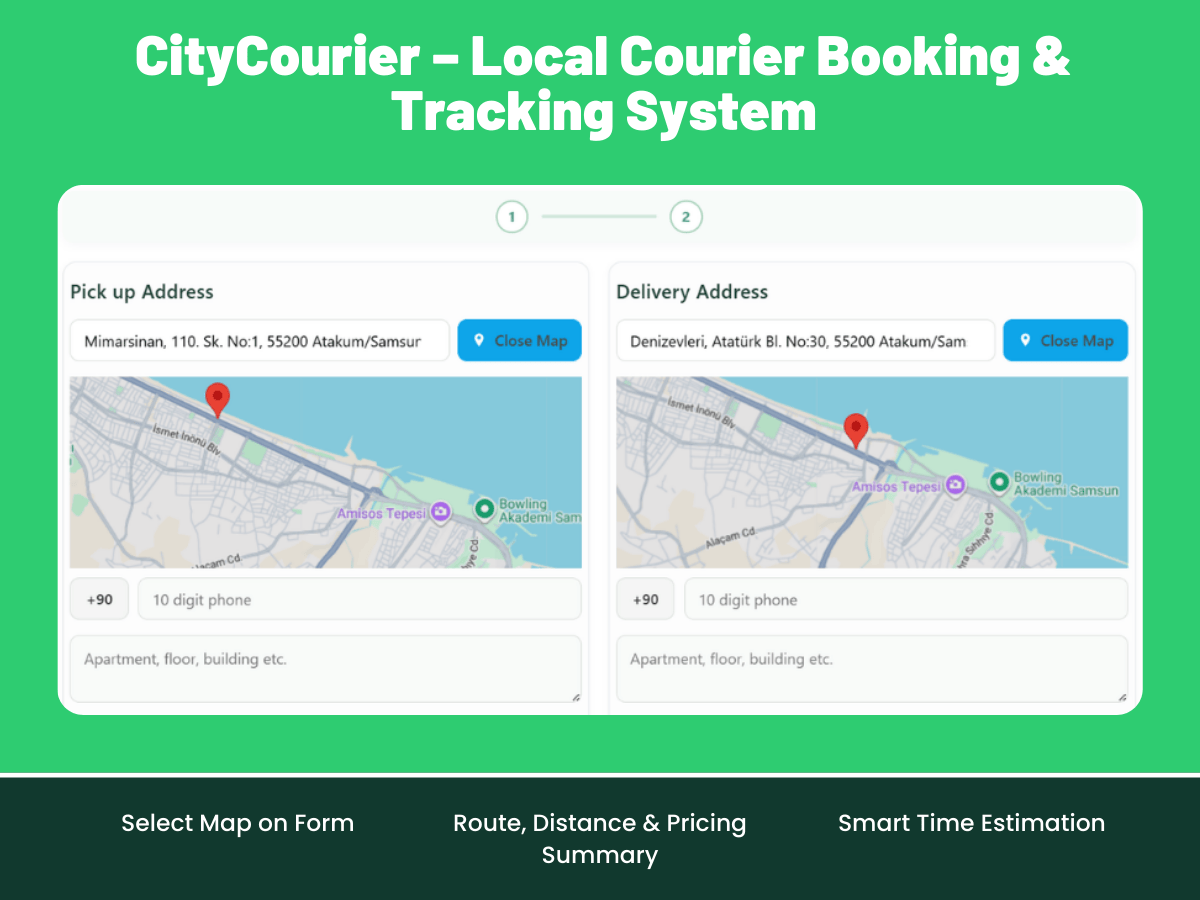
Screenshots
A quick look at CityCourier in action.
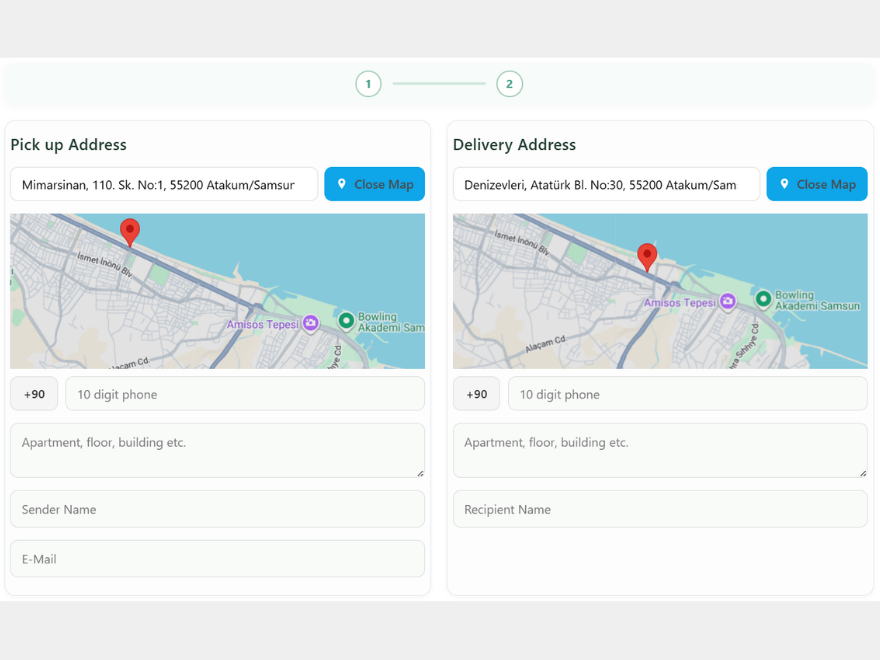

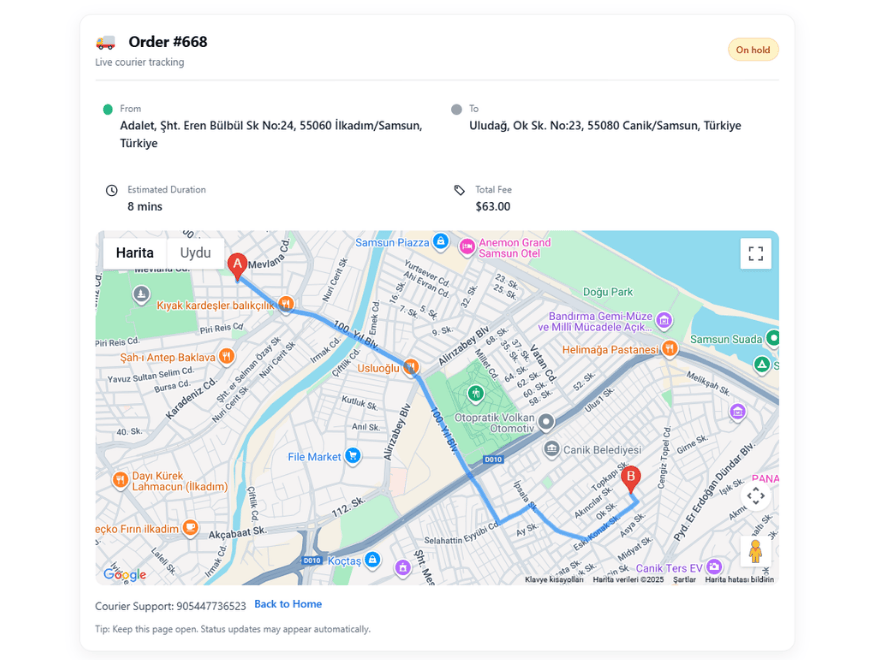


Simple, fast and business‑ready.
From setup to live tracking, everything you need in one lightweight package.
Draw polygon, circle, radius zones
Restrict orders outside service regions
Per‑km pricing with Distance Matrix
Transparent pricing using distance & ETA between A↔B.
Clean, focused dashboard
Manage country, currency, orders and statuses without clutter. Built for speed.
Working days & hours
Offer convenient time windows and keep service quality high. Smart next-available slot and ETA based on distance
Past parcels & notes
Order history, route logs and courier ratings in one view.
Woocommerce Email
Instant mail handoff between customer and courier.
Go live in 3 steps.
Install the plugin
Dashboard → Plugins → Add New → search “CityCourier” and activate.
Add your API key
Enter your Google Maps key under Settings → Integrations.
Place the form
Add citycourier_form shortcode to any page. That’s it.
Pricing
Start light and upgrade to Pro as you grow.
Lite Free
- • Core booking form
- • Per‑km pricing
- • WooCommerce order + email integration
- • Multilingual strings
Pro — $69 / year Popular
- • Service Zone (Map)
- • Select Map on Form
- • Business Days & Smart Time Estimation
- • Live Route Map on Tracking Page
- • Admin Reports (CSV Export)
Frequently Asked Questions
What are the minimum requirements?
WordPress 6.0+, PHP 8.0+, HTTPS‑enabled site and a Google Maps API key.
How does distance & ETA work?
We use Google Distance Matrix to calculate distance and estimated time between points for dynamic pricing.
How do you handle location privacy?
Location is shared only during the order lifecycle and links are time‑limited.
Quick Setup
# 1) WordPress → Plugins → Add New → CityCourier
# 2) Settings → CityCourier → enter your Google Maps key
# 3) Add the shortcode below on any page:
[citycourier_form]
# 4) For detailed Google Maps API key and domain restriction guide:
#    click here