1
Setup
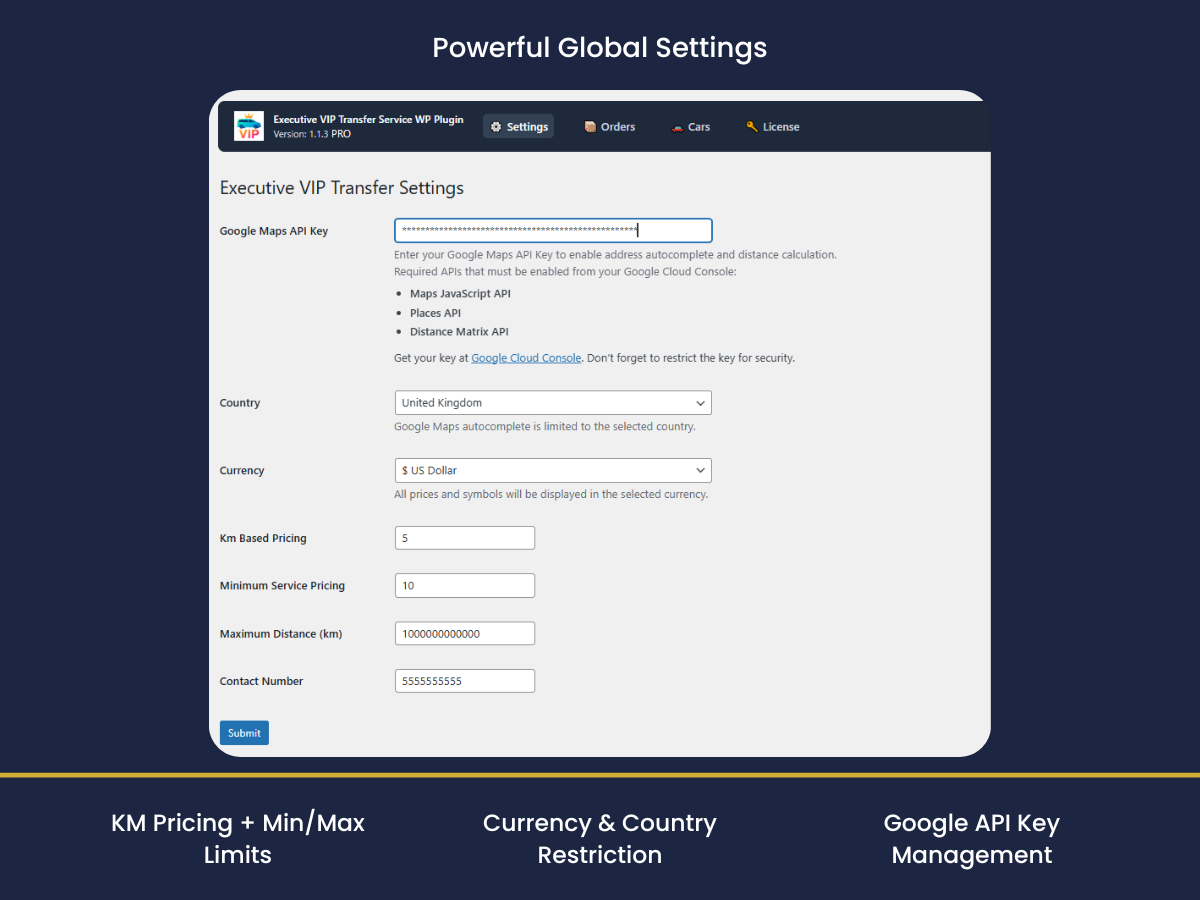
Install + Settings + License
Upload the plugin, activate, set your keys, and verify your Pro license.
- Plugins → Add New → Upload
- Paste API key & save
- Verify license email

 Executive VIP Transfer
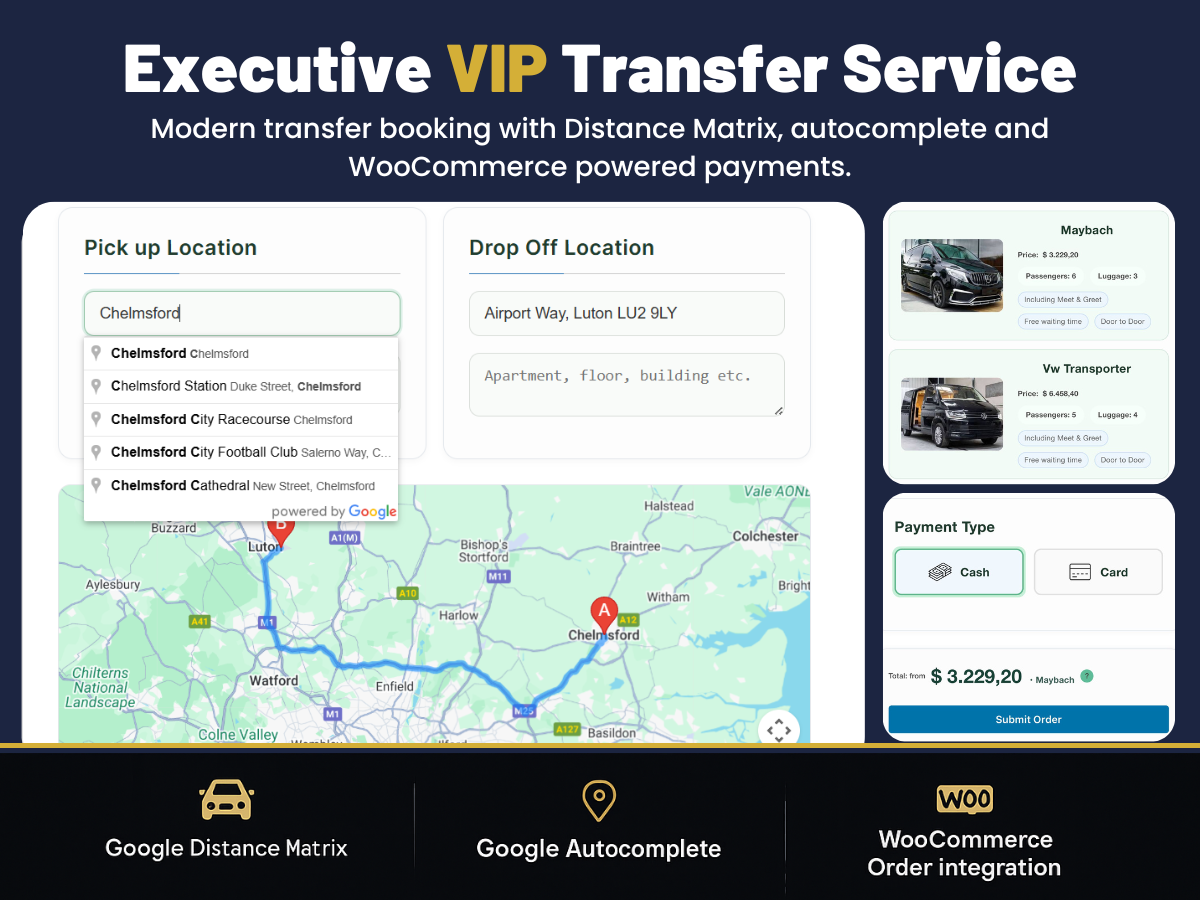
Turn your WordPress site into a ready-to-sell booking system: customers enter pickup & drop-off, see accurate km-based pricing, choose vehicle & time — and pay via WooCommerce.
Quick check before you try the demo.
If you sell transfers and need a clean booking + payment flow, you’re in the right place.
Start free — upgrade when you want more control and higher average order value.
Perfect to test the flow and start receiving bookings.
Built for businesses: more vehicle control, better quoting, smoother conversion. Typically pays for itself after 1–2 completed transfers.
Secure checkout via Stripe. Subscription includes updates & support while active.
A quick tour of the booking & admin experience.
Real mobile flow — address input → instant km-based pricing → checkout. This is what turns visitors into paid bookings.

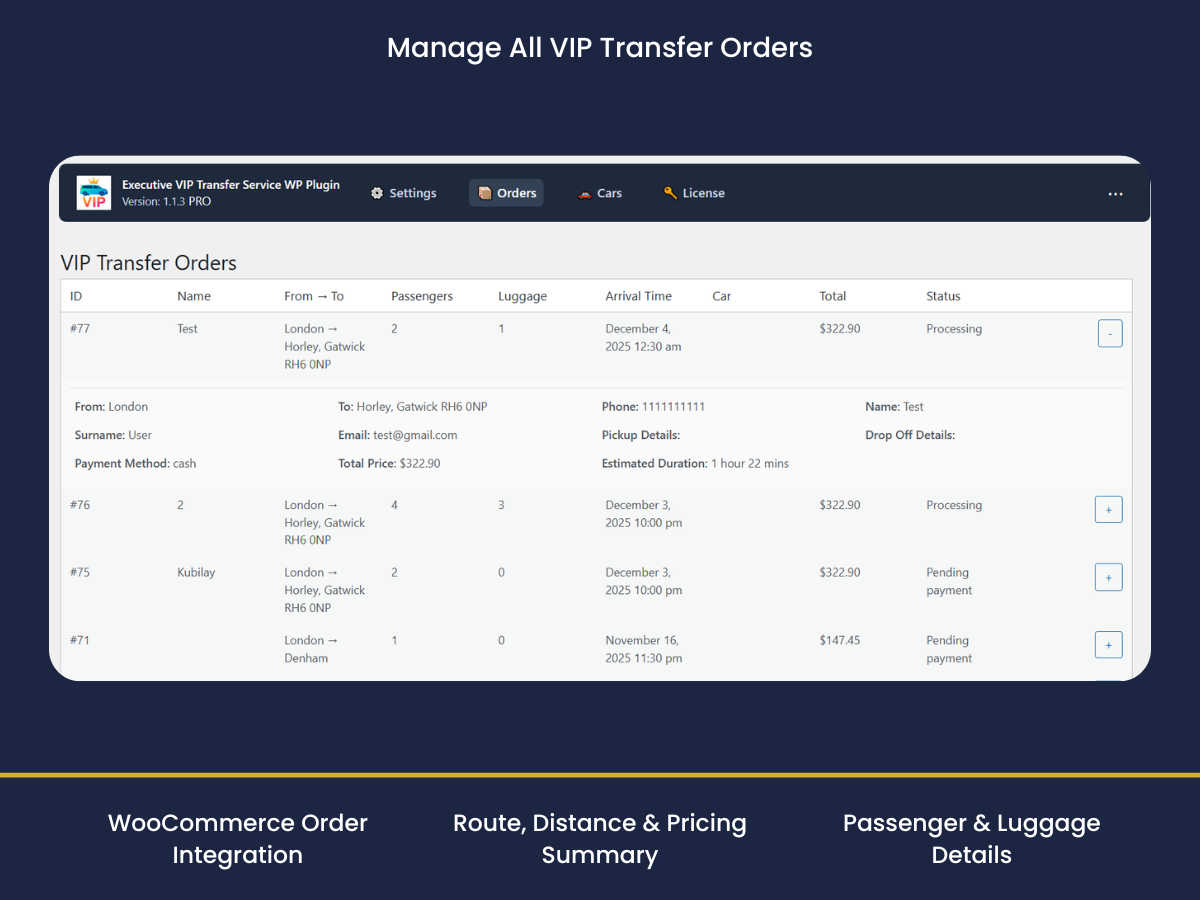
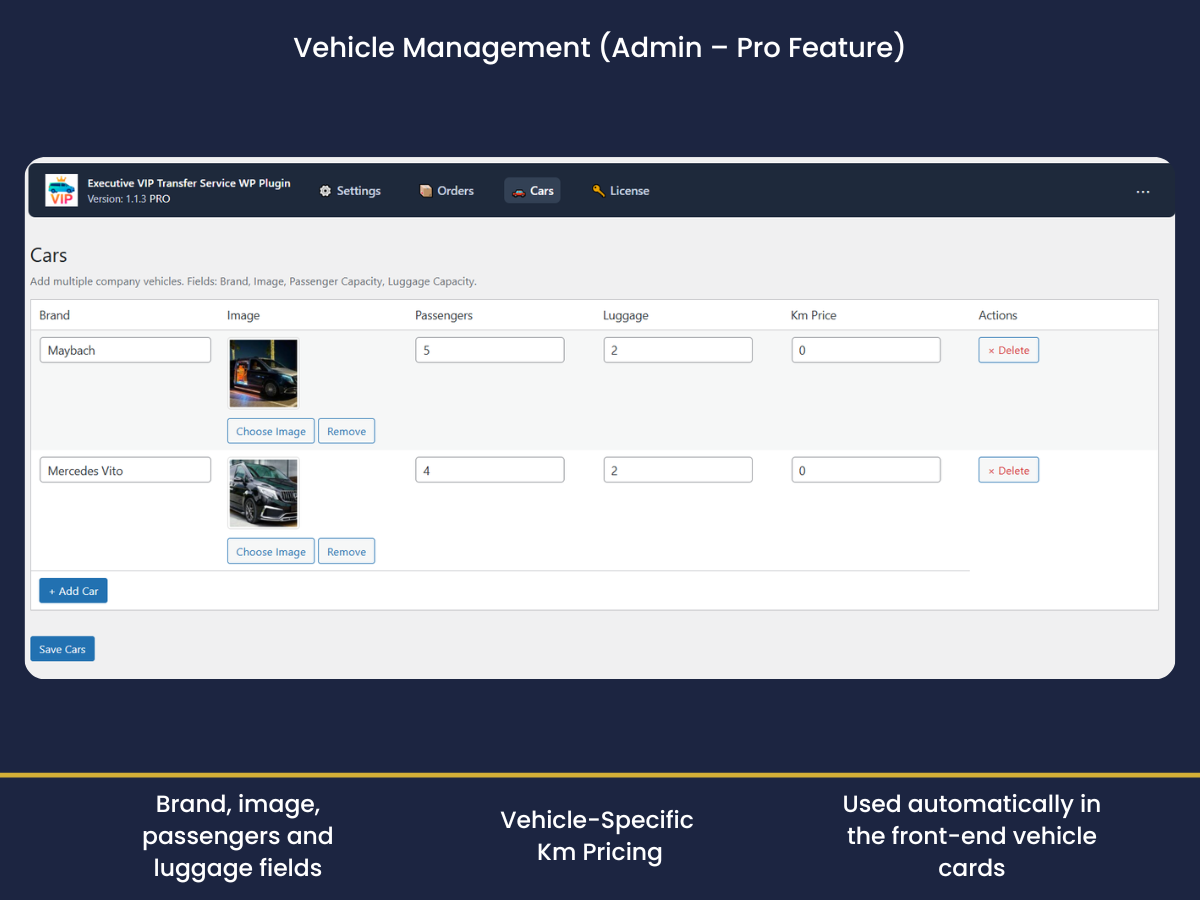
Follow these quick steps to install, configure, and start accepting bookings.
Upload the plugin, activate, set your keys, and verify your Pro license.
Generate the form shortcode and publish it on any page in seconds.
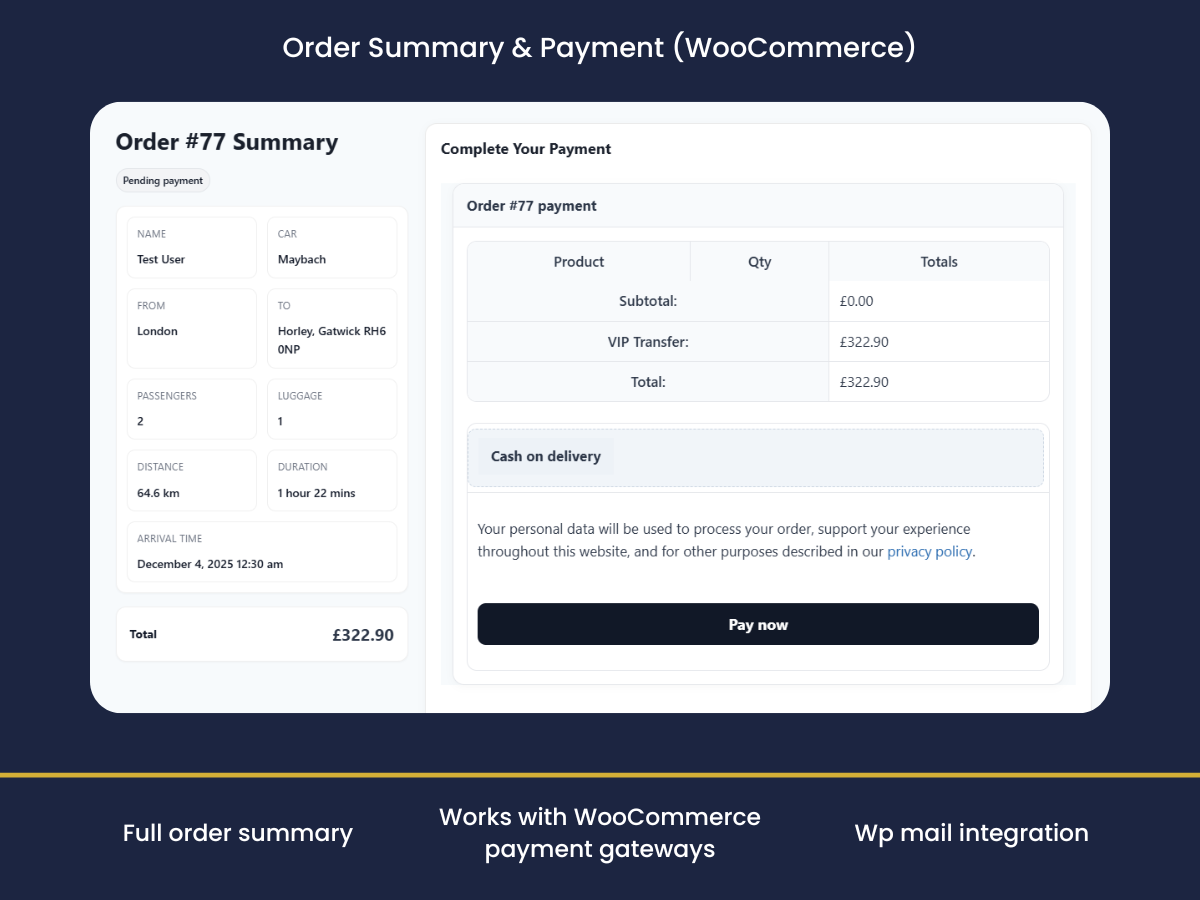
See the customer journey end-to-end on the frontend — from pickup to payment.
Create vehicles, pricing rules, and availability with a clean admin panel.
Tip: keep this one click-to-play for faster page load.
Instant email alerts so you never miss a booking.
Accurate pricing, fast address entry, vehicle upsells, and clear scheduling — built for chauffeur businesses.
Automatic pricing based on real road distance — fewer manual quotes, fewer mistakes, faster decisions.
Customers enter pickup & drop-off in seconds — smoother mobile bookings and higher completion rates.
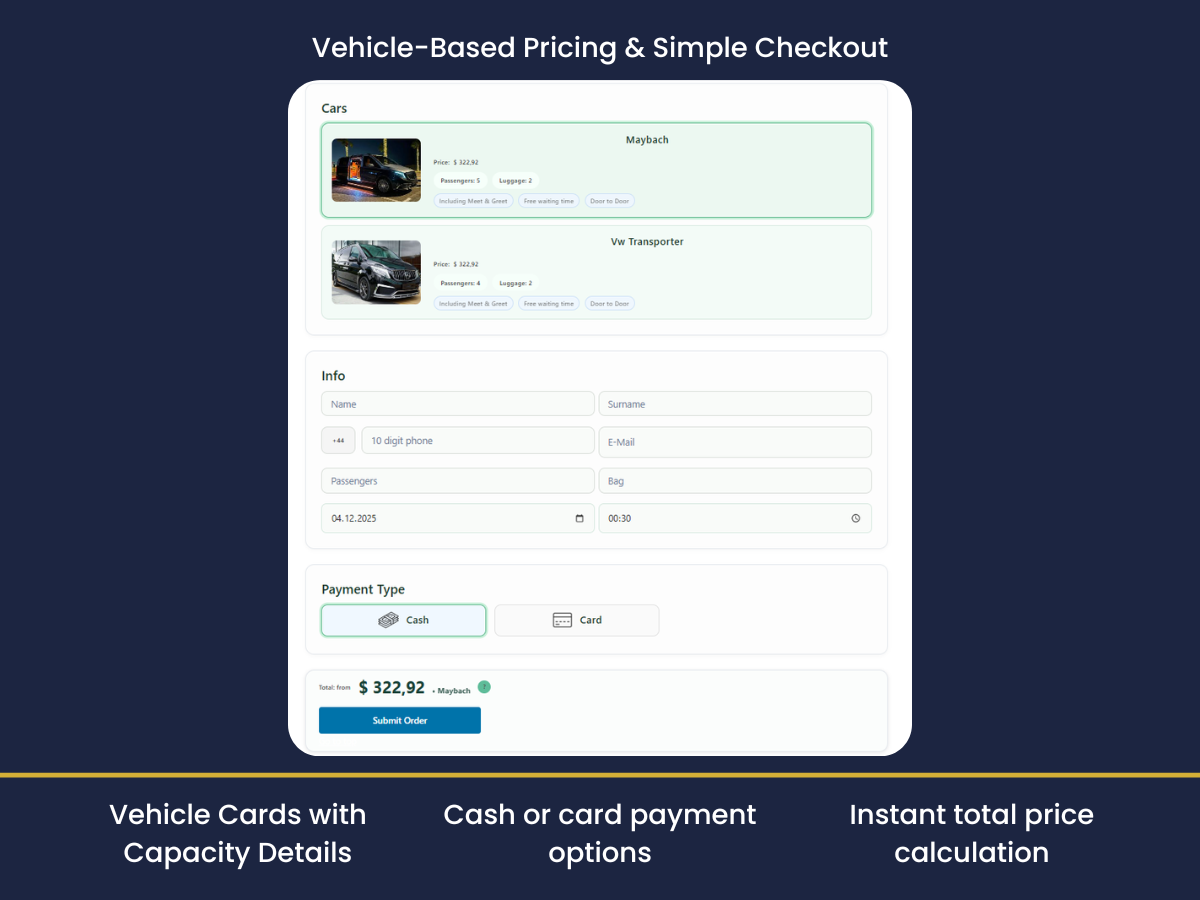
Create multiple vehicles with brand, capacity and image — present options clearly and professionally.
Set different per-km prices per vehicle type (Sedan, Vito, Sprinter) to increase average order value.
Let customers select pickup date and time during booking — fewer messages and cleaner operations.
Show the route during booking — builds confidence and reduces “is this correct?” questions.
WordPress → Plugins → Add New → search “Executive VIP Transfer Service” and activate.
Enable Maps JavaScript, Places and Distance Matrix, then paste your key in Settings.
Add the shortcode [execvitr_form] to any page. Tracking page is created automatically.
Pro is for businesses that want fewer manual quotes and higher conversion:
• Vehicle management + vehicle-specific per-km pricing
• Pickup date & time selection (less back-and-forth)
• Live route map (more trust)
• Priority support
In most cases, Pro pays for itself after just 1–2 completed transfers.
WordPress 6.0+, PHP 8.0+, WooCommerce enabled and a Google Maps API key (Maps JS, Places, Distance Matrix).
The fare is calculated using your km rate and minimum fare based on A↔B distance and ETA.
After checkout the customer gets a secure tracking link (order-based).
# 1) WordPress → Plugins → Add New → Executive VIP Transfer Service
# 2) VIP Transfer Service → Settings → paste your Google API key (Maps JS, Places, Distance Matrix)
# 3) Add the shortcode below on any page:
[execvitr_form]
# 4) For detailed Google Maps API key and domain restriction guide:
#    click here
We are here for quick support and questions.