If you run a local courier business, you already know the pattern:
A customer needs delivery now, visits your website, and asks, “How much will it cost?”
If they don’t see an instant answer, they usually do one of two things:
- message another courier provider
- leave and never come back
That’s where an online delivery pricing calculator becomes a growth lever—not just a “nice feature.”
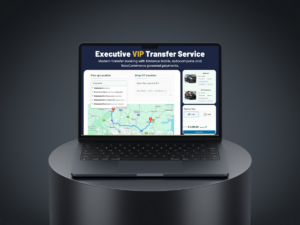
With CityCourier, you can add instant distance-based pricing, structured orders, and optional tracking to your WordPress site—so your website works like a real courier ordering system.
Why Manual Quoting Kills Conversion
Manual quoting (WhatsApp, phone calls, back-and-forth) creates friction:
- Customers wait too long
- Operators repeat the same questions
- Quotes change depending on who replies
- You lose high-intent leads during busy hours
An instant quote form fixes this by answering the pricing question in seconds.
What Customers Expect From a Modern Courier Website
Today, customers expect:
- Address autocomplete (no typing headaches)
- Instant price estimate
- Clear delivery options (standard vs express)
- Fast order submission
- Tracking link (at least status updates, ideally live location)
CityCourier is built around these expectations.
How CityCourier Works (Simple Flow)
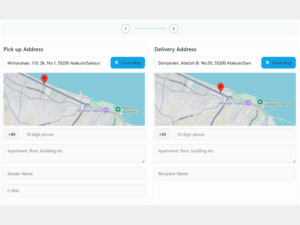
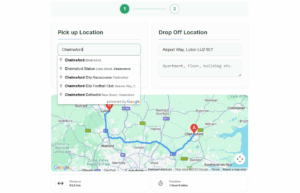
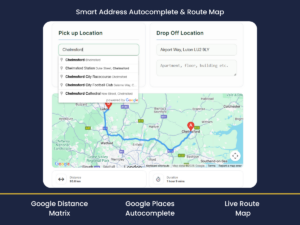
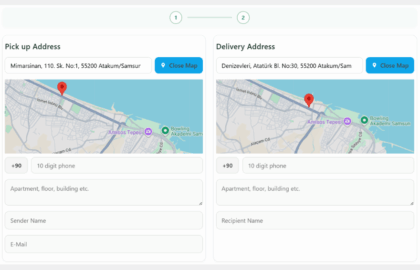
Step 1: Customer enters pickup & drop-off
Using map-based address selection and autocomplete, the form stays fast and accurate.
Step 2: CityCourier calculates distance-based pricing
You define the pricing rules:
- base fee (optional)
- price per km
- optional “express” add-on
- optional volumetric / package size (desi) rules
Step 3: Customer places the order
Instead of “a message thread,” you receive structured order data:
- addresses
- customer info
- chosen service type
- notes and instructions
Step 4: You assign a courier + update status
Orders show in your admin panel, and your delivery workflow becomes trackable.
Step 5 (Optional): Share a tracking link
If you enable tracking features, customers follow the delivery without calling support.
Best Use Cases for CityCourier
CityCourier is especially effective for:
- same-day city deliveries
- on-demand courier pickup/drop-off
- small courier teams with multiple drivers
- businesses delivering documents, packages, spare parts, or boutique goods
- last-mile operations that need speed, not enterprise complexity
It’s a practical fit when you want a lightweight last-mile system inside WordPress.
Why WordPress + CityCourier Is Cost-Effective
Many courier startups or local delivery teams don’t want to pay for heavy enterprise software.
CityCourier gives you a scalable foundation using tools you already have:
- WordPress
- a landing page
- SEO + ads
- a structured ordering pipeline
Your website becomes the channel you own—no marketplace dependency required.
FAQ
Yes. It’s designed around distance-based pricing rules (e.g., per km + optional minimum fee).
Yes. You can offer time windows like “10:00–12:00” or an “ASAP/Express” option (depending on your setup).
No. It’s focused on local courier and last-mile delivery workflows, not international shipping label systems.
You can provide tracking via status updates and (optionally) live tracking workflows depending on the features you enable.
Final Takeaway
If you’re competing in local delivery, speed wins.
And speed starts before pickup—it starts at the quote.
A delivery pricing calculator on your website reduces friction, increases trust, and turns more visitors into paying orders.
That’s what CityCourier is built for:
instant quotes + structured orders + operational control—inside WordPress.
Latest Articles