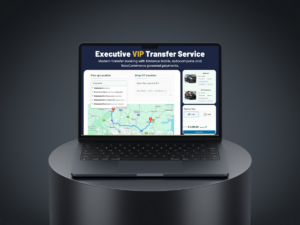
Local delivery is no longer “call us and we’ll figure it out.” Customers expect instant pricing, simple order placement, and real-time updates—especially for same-day and on-demand courier services.
That’s why we built CityCourier, a WordPress plugin designed specifically for local courier businesses. It helps you offer a complete flow on your website:
Get a quote → place an order → assign a courier → track delivery live.
Want instant courier quotes and cleaner delivery operations? Install CityCourier and start taking local orders from your WordPress site.
Why Courier Businesses Lose Orders Without Instant Quotes
Most courier websites still rely on:
- “Send your address via WhatsApp”
- “Call for pricing”
- “We’ll confirm later”
That creates friction—and friction kills conversions.
With CityCourier, customers can instantly:
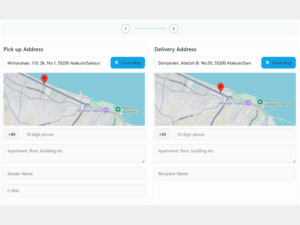
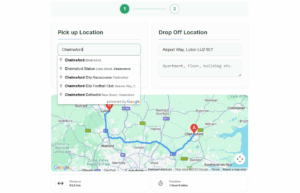
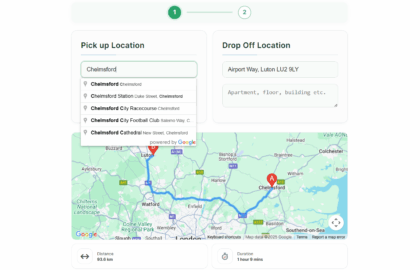
- Enter pickup and drop-off locations
- See a price estimate based on distance (and optionally package size)
- Choose a delivery time window
- Submit an order without back-and-forth
What CityCourier Does
1) Distance-Based Pricing (Automated)
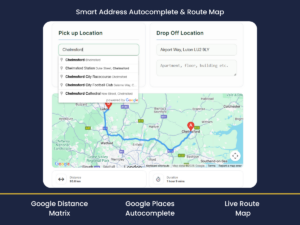
CityCourier calculates distance using Google Maps / Distance Matrix logic and turns it into a price using your rules:
- Price per kilometer
- Optional minimum fee
- Optional add-ons (e.g., express delivery, extra stops)
- (Optional) volumetric weight / package size logic (desi)
This gives you consistent pricing and protects your margin.
2) A Clean Order Form That Customers Actually Finish
The checkout flow is designed for speed:
- Address autocomplete
- Clear pickup/dropoff fields
- Customer details
- Delivery slot selection (if enabled)
Less typing = more completed orders.
3) Admin + Courier Workflow
CityCourier supports an operational flow that makes sense for real courier teams:
- Orders appear in your admin panel
- You can assign a courier
- Status updates (picked up / on the way / delivered)
- Delivery history and reporting
4) Live Courier Tracking (Optional Real-Time)
When you offer on-demand delivery, tracking becomes a trust signal.
CityCourier can support live tracking logic (e.g., WebSocket-based tracking workflow) so customers can:
- Open a tracking link
- See courier location updates (when enabled)
- Follow delivery progress without calling support
5) Delivery Time Slots (Optional)
If you run scheduled delivery windows, you can offer time slots like:
- 10:00–12:00
- 12:00–14:00
- Express (ASAP)
This reduces “When will it arrive?” calls and improves planning.
Who CityCourier Is For
CityCourier is ideal for businesses offering:
- Local courier delivery (city-wide)
- Same-day delivery
- On-demand pickup & drop-off
- Small courier fleets (not large global shipping carriers)
- Neighborhood logistics and last-mile services
It’s not built for UPS/DHL-style global shipping — it’s built for local operations that need speed and automation.
Why WordPress + CityCourier Is a Smart Growth Move
Instead of relying entirely on marketplaces, phone calls, or messaging apps, CityCourier helps you build an owned channel:
- Your website becomes the ordering hub
- Pricing becomes consistent
- Operations become trackable
- Customer experience improves
And once the flow is working, scaling becomes much easier—ads, SEO, and landing pages actually convert.
Quick Start Checklist
- Install CityCourier on WordPress
- Configure your pricing rules (per km, minimum fee, add-ons)
- Enable address autocomplete
- Embed the quote/order form on your homepage or landing page
- Start receiving structured orders + run deliveries with less manual work
Latest Articles