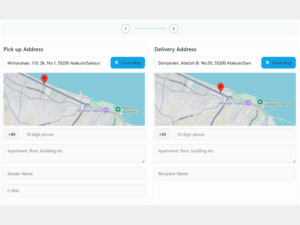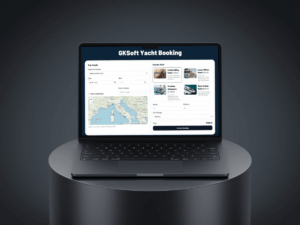
WordPress plugin development has become one of the most effective ways to expand a website’s functionality without touching core files or altering theme structures. As WordPress powers more than 40% of the web, the demand for custom, scalable, and secure plugins continues to rise. Whether you’re building a tool for personal use or preparing a commercial product, understanding best practices is essential to creating a high-quality solution.
Understanding the Importance of WordPress Plugin Development
Plugins allow developers to introduce new features in a modular and maintainable way. Instead of editing existing code—which can break the site during updates—plugins encapsulate functionality in a separate environment.
Why Plugins Are Essential for Modern WordPress Sites
A well-designed plugin can handle tasks such as:
- Booking systems
- SEO automation
- WooCommerce enhancements
- Payment gateway integrations
- API-based workflows
- Performance tools
This modular approach ensures long-term stability and scalability.
Key Principles for Developing High-Quality Plugins
Performance Optimization
Performance is one of the most important considerations in plugin development. Every unnecessary script, query, or external request affects page load time.
Best Practices for Performance
- Enqueue scripts and styles only when necessary
- Reduce database queries and use transients where applicable
- Avoid loading heavy libraries globally
- Ensure compatibility with caching plugins
- Optimize assets for mobile performance
Fast websites rank higher and provide a better user experience.
Security Considerations
Security is non-negotiable. Poorly coded plugins can expose a website to severe vulnerabilities.
Secure Coding Standards
- Sanitize and escape all input/output
- Use nonces for AJAX requests
- Validate form data server-side
- Restrict permissions based on user roles
- Protect REST API endpoints
These safeguards protect both the website owner and the end user.
API Integrations and Advanced Functionality
Modern plugins often rely on external services, making API integration a key area of expertise.
Popular API Use Cases
- Payment gateways (Stripe, PayPal, Iyzico)
- Google Maps & Distance Matrix
- CRM and ERP systems
- AI tools such as OpenAI APIs
- Shipping and courier integrations
API-powered plugins offer dynamic, feature-rich experiences that outperform static solutions.
Creating a User-Friendly Admin Experience
Designing Clean and Intuitive Settings Pages
A plugin’s admin UI can make or break the user experience. Even powerful plugins fail if the interface is confusing.
UX Best Practices
- Use clear labels and descriptions
- Organize options in logical tabs or sections
- Add tooltips and helper text
- Keep the layout clean and modern
- Avoid overwhelming users with unnecessary settings
A simple interface reduces support requests and increases customer satisfaction.
Documentation, Maintainability, and Version Control
Building for Long-Term Sustainability
Writing code is just one part of plugin development. Maintaining the plugin, documenting features, and ensuring compatibility with updates is equally important.
Essential Maintenance Practices
- Follow a consistent folder and file structure
- Use version control (Git)
- Provide clear documentation
- Test updates before release
- Include hooks and filters for extensibility
A well-documented plugin is easier to sell, scale, and support.
Future Trends in WordPress Plugin Development
Gutenberg, React, and Headless WordPress
As WordPress evolves, plugin developers must adapt to modern technologies.
What the Future Looks Like
- React-based admin interfaces
- Custom Gutenberg blocks
- REST API-driven applications
- Headless WordPress integrations
Plugins that embrace these technologies stay competitive in the long run.
Conclusion
WordPress plugin development is a cornerstone of extending WordPress functionality in a stable, scalable, and future-proof way. Developers who prioritize performance, security, user experience, and documentation create plugins that stand out in today’s growing marketplace. Whether you’re building internal tools or commercial products, mastering these principles will elevate your development process and deliver real value to users.
Latest Articles